Attaching Click Events to Polygon Layers
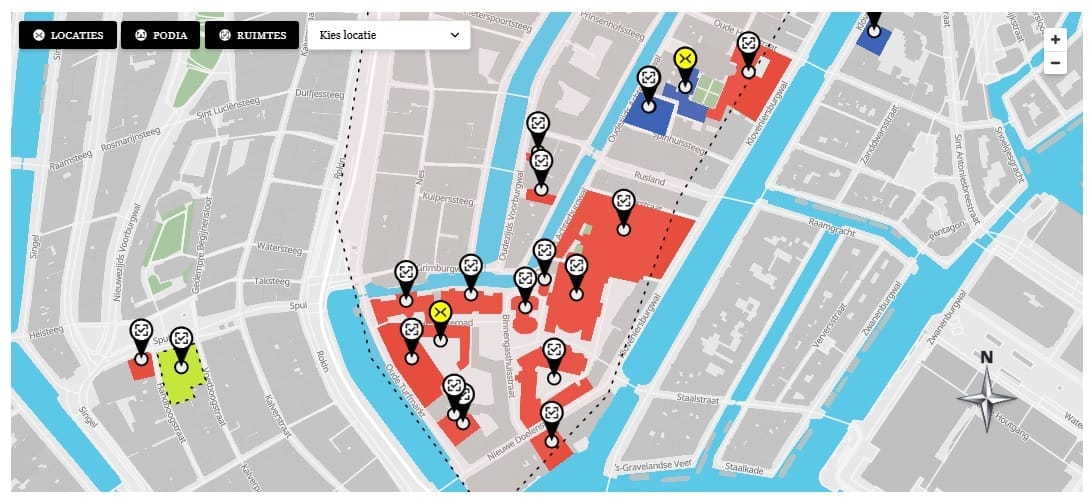
Each location is added to MapLibre as a GeoJSON source and two layers — a fill layer for the polygon area and a line layer for the border. Click events are attached to the fill layer using map.on('click', layerId, handler). MapLibre fires this event when the user clicks anywhere inside the polygon fill area. The handler receives a MapLibre event object that includes the clicked feature and its properties.
map.on('click', fillLayerId, function(e) {
  const locationId = e.features[0].properties.locationId;
  showInfoBox( locationId );
});

map.on('mouseenter', fillLayerId, function() {
  map.getCanvas().style.cursor = 'pointer';
});
map.on('mouseleave', fillLayerId, function() {
  map.getCanvas().style.cursor = '';
});
Attaching Click Events to Custom Markers
Markers in MapLibre are HTML elements managed outside the map canvas. Each marker is created with new maplibregl.Marker({ element: markerEl }) where markerEl is a custom div with a background image set to the location’s marker icon URL. The click event is attached directly to the HTML element, not through MapLibre’s layer event system:
markerEl.addEventListener('click', function(e) {
  e.stopPropagation();
  showInfoBox( locationId );
});
Populating the Info Box
The info box is a fixed-position div rendered in the shortcode output. showInfoBox(locationId) finds the location’s data in window.map10Data.locations by ID and sets the innerHTML of each info box element — image, title, description, and button. If the info box is already showing a different location, it updates in place without an animation reset. The close button sets the info box’s display to none and clears the active location state.
This article is part of our complete guide:
How to Build an Interactive Map Plugin for WordPress from Scratch
Read the full guide →