Registering the Taxonomy
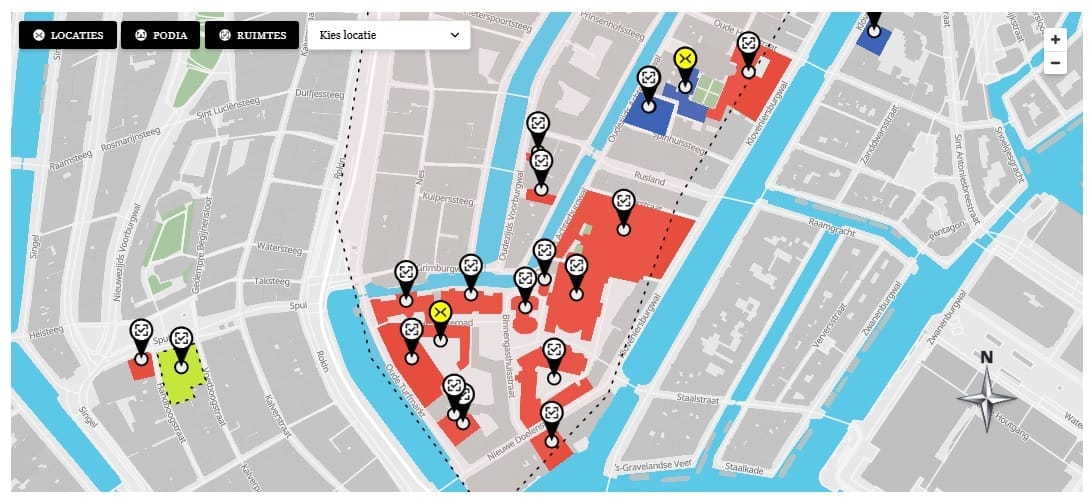
The location category taxonomy connects locations to visual groupings — each category has a color used for polygon fill and marker styling, and an optional icon used in filter buttons. The taxonomy is registered on map10_location only. Create includes/taxonomy-categories.php:
<?php
if ( ! defined( 'ABSPATH' ) ) exit;

function map10_register_taxonomy_categories() {
  $labels = [
    'name'          => 'Location Categories',
    'singular_name' => 'Location Category',
    'menu_name'     => 'Categories',
  ];

  $args = [
    'labels'            => $labels,
    'public'            => false,
    'show_ui'           => true,
    'show_in_menu'      => 'edit.php?post_type=map10_map',
    'hierarchical'      => false,
    'show_admin_column' => true,
    'rewrite'           => false,
  ];

  register_taxonomy( 'map10_category', 'map10_location', $args );
}
add_action( 'init', 'map10_register_taxonomy_categories' );
show_in_menu nests the Categories item under the Maps admin menu, keeping all map-related admin pages in one place. hierarchical => false means categories behave like tags — no parent/child relationships. show_admin_column => true adds a Category column to the Locations list table in the admin.
Adding Color and Icon Fields to the Term Edit Screen
WordPress taxonomy edit screens support {$taxonomy}_add_form_fields and {$taxonomy}_edit_form_fields hooks for adding custom fields when creating or editing a term. Add these hooks in the same file:
add_action( 'map10_category_add_form_fields',  'map10_category_add_fields' );
add_action( 'map10_category_edit_form_fields', 'map10_category_edit_fields' );
add_action( 'created_map10_category',          'map10_category_save_fields' );
add_action( 'edited_map10_category',           'map10_category_save_fields' );
The save handler reads both map10_color and map10_icon from POST and stores them as term meta:
function map10_category_save_fields( $term_id ) {
  if ( isset( $_POST['map10_color'] ) ) {
    update_term_meta( $term_id, 'map10_color', sanitize_text_field( $_POST['map10_color'] ) );
  }
  if ( isset( $_POST['map10_icon'] ) ) {
    update_term_meta( $term_id, 'map10_icon', esc_url_raw( $_POST['map10_icon'] ) );
  }
}
Integrating Pickr for rgba() Color Output
The Pickr color picker is loaded only on taxonomy admin screens. It is enqueued via the admin_enqueue_scripts hook, with a check on $hook to limit it to the correct page. Pickr is configured with representation: 'RGBA' so the stored value is always in rgba(r, g, b, a) format. MapLibre requires opacity as a separate channel — rgba() strings cannot be passed directly to MapLibre paint properties. The stored rgba() value is parsed in map.js at runtime to extract the alpha channel for MapLibre’s fill-opacity property.
This article is part of our complete guide:
How to Build an Interactive Map Plugin for WordPress from Scratch
Read the full guide →